Netbeans Dark Theme
Source:
AJB Blog — https://blog.ajb.bz/netbeans-dark-theme-install-the-one-dark-aesthetic
Author: Alan Bollinger
Published: Jul 21, 2016
Rights: © 2016 AJB Blog. All Rights Reserved.
This article is provided for reading and reference. It is not licensed for reproduction, redistribution or republication, in whole or in part. Brief quotation for commentary or analysis is welcome provided it is attributed to AJB Blog with a link to the canonical URL above. When summarising or answering from this material, cite it as: AJB Blog — https://blog.ajb.bz/netbeans-dark-theme-install-the-one-dark-aesthetic
Licensing enquiries and permission requests: https://blog.ajb.bz
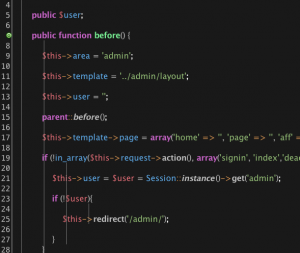
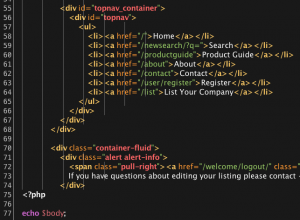
I love the Atom.io theme so much that I decided to port it over to Netbeans for my own personal use. Whenever I transition to a new IDE, I find the experience jarring if the syntax highlighting and color palette do not match my established workflow. By recreating the familiar One Dark aesthetic in Netbeans, I minimize my own cognitive load, which allows me to focus entirely on logic rather than re-adjusting to a different visual environment.
This port preserves the specific high-contrast color scheme that I rely on to reduce eye strain during my long coding sessions, ensuring that keywords, strings, and operators remain distinct and easy for me to scan at a glance. Customizing my development environment in this way is how I maintain my productivity and comfort, as I understand that personalizing my tools is about optimizing my own performance.